


The best action camera for MTB is the one that gives you footage you actually want to watch after the ride. That means stable video, a useful view of the trail and an editing process you can live with. A higher resolution on the box is little consolation if the lens is covered in mud or the camera points at your stem for the entire descent.
Start with one decision: do you want a conventional camera aimed down the trail, or a 360 camera that lets you choose the viewing direction afterwards? The former makes a simple ride video easier. The latter gives you more freedom to show the rider, the trail and the scenery from one recording, but adds work to the edit.
Our shortlist brings together three different routes: the DJI Osmo 360 II for riders who want flexible footage and an approachable edit, the GoPro HERO13 Black for a conventional view, and the GoPro MAX2 for a 360 camera backed by our trail testing. Prices below refer to the named bundles, so compare the contents as well as the headline figure.
ELECTRIC MTB UK THE SHORTLIST
The shortlist
Find the right pick for your riding. Explore the full product cards to compare the details and retailers.
1. DJI Osmo 360 II — our pick for flexible ride footage
DJI Osmo 360 II
The direct 360-camera comparison in our testing, with an editing workflow that felt more intuitive for selecting keyframes and trimming ride footage.

At Decathlon — Clever Stuff (International) Ltd
Osmo 360 II Limitless Riding Combo; includes Heavy-Duty Clamp Mount Kit
+ Pros
- More intuitive keyframing and trimming in our comparison
- 105GB of built-in storage
- User-replaceable lenses
− Cons
- Reframing 360 footage still adds an editing step
- Choose carefully between bundles with different accessories
Compare prices
Osmo 360 II Limitless Riding Combo; includes Heavy-Duty Clamp Mount Kit
Prices and availability may change. Prices last checked: 2026-11-07 19:54 UTC. Prices are checked when this guide is updated. Confirm the current price and availability with the retailer.
Our verdict
The closest alternative if you want 360 footage and put a high priority on the edit after a ride. In our side-by-side use, picking keyframes and cutting footage down felt more intuitive with DJI. The listed Limitless Riding Combo includes a Heavy-Duty Clamp Mount Kit; it is a different package from the Standard and Adventure Combos.
Key specifications
- Camera type
- 360-degree action camera
- 360 video
- Up to 8K at 60fps
- Built-in storage
- 105GB available
- Weight
- 183g (manufacturer)
- Waterproof rating
- 10m
- Lenses
- User-replaceable
- Listed bundle
- Limitless Riding Combo
DJI earns its place here because of what happens after the ride. In our side-by-side use, choosing keyframes and trimming clips felt more intuitive than on the MAX2. A keyframe tells the editing software where you want the viewer to look at a particular moment; a few well-placed ones can turn a single recording into a view that follows the action.
The Osmo 360 II records up to 8K at 60fps in 360 mode and includes 105GB of usable internal storage. That gives you somewhere to record even without a memory card, although you still need to manage space and transfer clips. User-replaceable lenses are another practical feature for a camera that will spend time around grit and muddy gloves.
The £529 offer is the Limitless Riding Combo, sold through Decathlon’s marketplace by Clever Stuff (International) Ltd. It includes a Heavy-Duty Clamp Mount Kit. The Standard and Adventure Combos contain different accessories, so a cheaper listing is not necessarily the same package. Our GoPro MAX2 review explains the editing comparison from our time with both cameras.
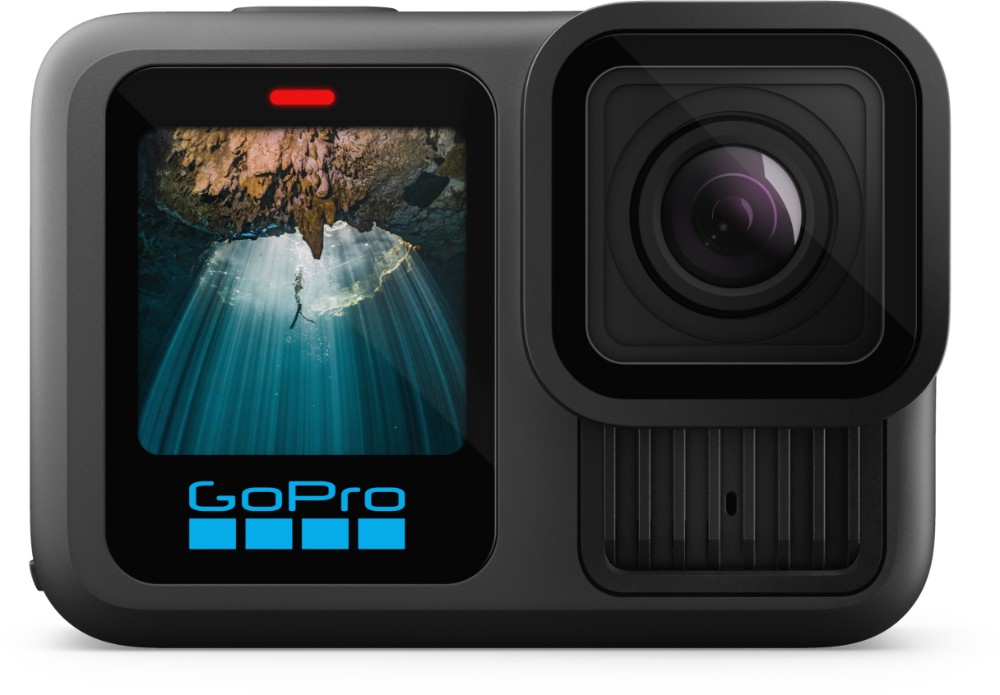
2. GoPro HERO13 Black — for a conventional view down the trail
GoPro HERO13 Black
A conventional action camera for riders who want a chosen view down the trail without reframing a full 360 recording.
At Leisure Lakes Bikes
HERO13 Black Speciality Bundle, with 64GB microSD card and carrying case
+ Pros
- Conventional footage avoids 360 keyframing
- Broad GoPro mounting ecosystem
- Speciality Bundle includes a memory card and case
− Cons
- Cannot recover a view behind the camera after filming
- Additional lens mods and riding mounts cost extra
Compare prices
HERO13 Black Speciality Bundle, with 64GB microSD card and carrying case
Prices and availability may change. Price reference: 2026-11-07 19:54 UTC. Prices are checked when this guide is updated. Confirm the current price and availability with the retailer.
Why it makes the shortlist
Choose the HERO13 Black if you mainly want a chest- or bar-mounted view of the trail. Recording one direction keeps the edit straightforward, but means getting the angle right before dropping in: you cannot turn the view around afterwards as you can with a 360 camera. The Speciality Bundle adds a 64GB microSD card and case; budget separately for your preferred riding mount.
Key specifications
- Camera type
- Conventional action camera
- Maximum video
- 5.3K at 60fps
- Stabilisation
- HyperSmooth 6.0
- Waterproof rating
- 10m without a housing
- Battery
- Removable 1900mAh Enduro
- Bundle
- 64GB microSD card and carrying case
- 360 capture
- No
If your goal is a clear chest-mounted view of the trail, a conventional action camera remains an appealing choice. The HERO13 Black records up to 5.3K at 60fps, with 4K at 120fps available when you want slower playback. Its footage starts with the direction you chose on the bike, rather than requiring a viewing angle to be extracted from a full sphere.
That simplicity has a trade-off: the camera cannot recover a view behind you after the ride. Set the angle with your body in its descending position and record a short test before the first proper run. It is easy to get an attractive view while standing in the car park and a screen full of top tube once you drop your heels and bend your elbows.
The £399.99 Speciality Bundle includes a 64GB microSD card and carrying case. A chest harness or suitable bike mount is a separate consideration. Additional HB-Series lenses also cost extra; there is no need to buy them before finding out whether the standard view suits your riding.
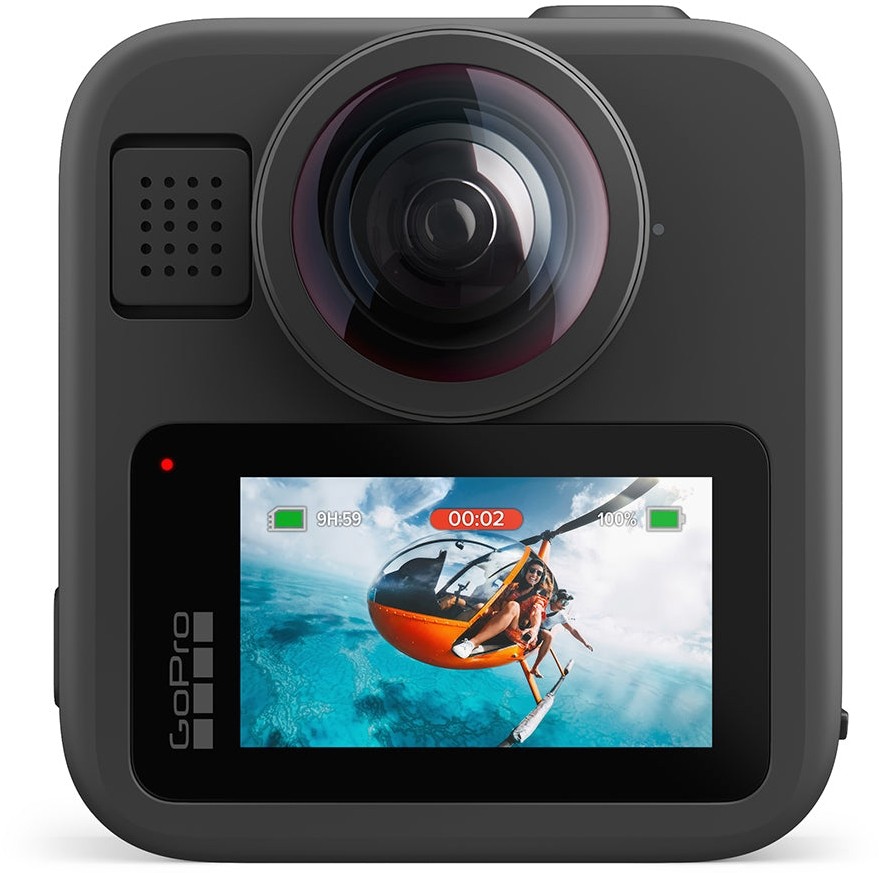
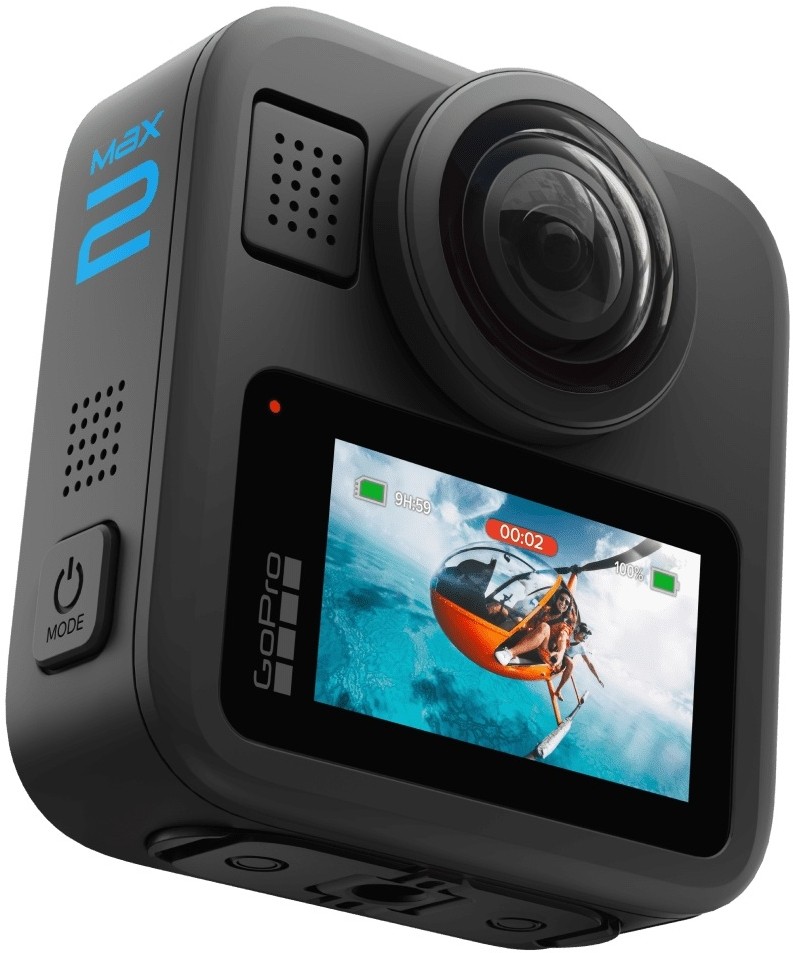
3. GoPro MAX2 — crisp 360 footage with plenty of mounting choices
GoPro MAX2
Crisp MTB footage, effective stabilisation and versatile mounting, with an editing workflow that takes more getting used to than DJI.
At Leisure Lakes Bikes
MAX2 Specialty Bundle (CHDSZ-311-RW)
Read our review →+ Pros
- Crisp, clear footage with well-controlled vibration
- Handles changing light and dappled shade well
- Easy downloads and still-image captures
- Wide choice of mounting positions and accessories
− Cons
- Keyframing and trimming feel less intuitive than DJI
- Additional mounting accessories increase the overall spend
Compare prices
MAX2 Specialty Bundle (CHDSZ-311-RW)
Prices and availability may change. Price reference: 2026-11-07 19:54 UTC. Prices are checked when this guide is updated. Confirm the current price and availability with the retailer.
Our verdict
A capable camera for recording MTB and eMTB rides, with clear footage and stabilisation that smooths vibration and bigger bumps. Downloading and grabbing stills are straightforward, but DJI feels more intuitive when selecting keyframes and trimming clips. Budget for the mounts you actually need.
Read the full GoPro MAX2 review →Key specifications
- Camera type
- 360-degree action camera
- 360 video
- Up to 8K at 30fps
- Single-lens video
- Up to 4K at 60fps
- 360 photos
- 29MP
- Waterproof rating
- 5m
- Lenses
- User-replaceable
- Mounts
- GoPro fingers; 1/4-20 thread; optional Magnetic Latch Mount
The MAX2 impressed in our trail test with clear footage and effective stabilisation over vibration and larger bumps. It also handled the patches of light and shade beneath trees well. Those are more useful findings for an MTB camera than a resolution figure in isolation.
We used the camera in several positions, including the bars, seatpost and a Chesty harness. Being able to experiment helps you find a perspective that shows the terrain rather than flattening everything into a distant strip of trail. The camera also works with a 360 stick, although mounting position still determines the perspective: reframing cannot move the camera somewhere it was not.
The reservation is the edit. Basic downloading and still-image grabs were straightforward, but trimming and keyframing took more getting used to than with DJI. If you already know GoPro’s workflow, that may be less of a concern. Read the full MAX2 riding review for the detail.
Conventional or 360: which should you buy?
Choose a conventional camera if you mainly want the rider’s view ahead and a short route from recording to sharing. It is also a sensible starting point if you are new to filming and would rather learn one mounting position than spend evenings choosing camera angles.
Choose 360 if you enjoy editing and want to decide later whether a clip should show your riding partner, your own body position or the turn behind you. It is particularly useful when you cannot predict exactly where the interesting moment will happen. You still need to position the camera sensibly, keep both lenses clean and allow for the extra files and processing.
Do not compare 8K 360 footage directly with 5.3K conventional footage. A 360 camera spreads its recorded detail around the whole scene. The final view you crop from it uses only part of that image. A higher headline resolution does not automatically mean a sharper view of the trail ahead.
Where to mount an MTB action camera
Chest: a useful starting point for trail riding
A chest view includes enough of the bars and bike to give the viewer a sense of speed and steering. It moves with your upper body rather than every steering correction. Tighten the harness so it cannot swing, check that clothing does not cover the lens and test the angle in your normal riding stance.
Bars: easy access, more vibration
A bar mount keeps the camera close at hand and makes it easier to check that recording has started. It also follows the steering and can transmit more vibration. Leave controls, cables and the eMTB display clear, and use a mount intended for the bar diameter and camera weight.
Helmet: check compatibility first
A helmet view follows where you look, which can work well for showing a line but may include distracting head movements. Follow the helmet manufacturer’s advice on attachments and use an approved mounting arrangement. Do not drill a shell or place a hard mount where it changes how the helmet fits.
What matters in woodland footage?
Stabilisation cannot rescue every clip. A firm mount, a clean lens and enough light all matter. Under dense trees, do a short comparison between your normal high-frame-rate setting and a lower one rather than assuming the highest option will always look best. Review moving footage, not just a paused frame.
On a wet ride, a single droplet can spoil the centre of the picture for minutes. Stop somewhere safe to check the lens before the descent, especially after following another rider through spray. Clean grit away carefully and avoid rubbing a muddy glove over the lens.
The DJI versus GoPro buying advice goes further into the priorities for eMTB riders. For the cameras in this shortlist, the biggest practical choice remains how much freedom you want after recording and how much editing time you are willing to give it.
Budget for the complete setup
Allow for a suitable mount, memory card where needed and a way to carry spare power. Check the manufacturer’s approved card specification before buying: capacity alone does not tell you whether a card is fast enough for the recording mode you want.
Long eMTB rides can involve several descents spread over hours. Recording the whole outing wastes storage and makes the edit harder. Start with short clips on the sections you want to keep, and check battery and storage before the next run. Manufacturer runtime figures depend on settings and test conditions, so they are not a promise of the same recording time on a cold trail.
MTB action cameras: common questions
Do I need 8K for mountain biking?
No. For a conventional ride video, a well-mounted camera recording a clear view is more useful than chasing the highest number. Extra resolution can help with cropping, while high-resolution 360 recording gives you more room to choose a view later. Both increase the demands on storage and editing.
Is a 360 camera easier to use?
It can be more forgiving about the direction the camera faces, but it is not automatically quicker overall. You usually need to reframe the clip before sharing it. If you dislike editing, a conventional camera with a carefully checked angle may suit you better.
Can I film in the rain?
Check the exact camera’s waterproof rating and make sure doors and seals are correctly closed. A waterproof body does not keep droplets off the lens or make footage through mud usable. Treat lens cleaning as part of the ride, and follow the manufacturer’s instructions before opening a wet camera.
Which would we choose for an eMTB?
For flexible 360 footage, the DJI Osmo 360 II is our choice here because the edit felt easier to work through. The MAX2 remains a strong option if you prefer GoPro’s mounting system and are happy to learn its editing tools. For a straightforward view down the trail, the HERO13 Black avoids the extra reframing step altogether.
